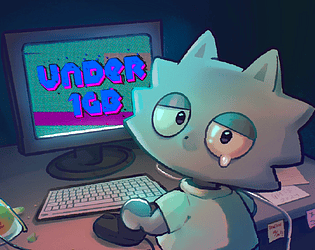
Game Jam | Unreal Engine 5.4
GMTK Game Jam 2024 (96 Hours)
Role:UI Designer, Gameplay Designer
Team Size: 10
Engine: Unreal Engine 5.4
Tools: Perforce
Platform: PC
Chikin the Wolf needs help! Help scale down the game size before he gets fired. From sound compression to particle reduction, there are many things Chikin needs to do to keep the game size under 1 GB. Fast-paced party game inspired by Wario Wear and Dumb Ways to Die. Can you avoid getting fired?
Gameplay
Overview
Under 1 GB is a rapid-fire minigame experience where players must complete a sequence of short puzzle challenges within 7 seconds per minigame. Each minigame requires quick interpretation of instructions and immediate action using either mouse or keyboard inputs.
The core challenge is not mechanical difficulty but reaction speed and decision-making under pressure.
Short Gameplay Showcase
Design
Goals
Create minigames that are instantly understandable within seconds
Maintain a fast, energetic pacing inspired by WarioWare-style design
Balance difficulty so failure feels fair, not confusing
I created 4 unique minigames, where I focused on making sure the the main objective to beat the minigame was very clear from the start. This was very important because the player only has 7 seconds to process and beat the minigame. With this challenging time constraint,we had to simplify the required inputs.
Clarity had to be prioritized in every minigame, so when we conducted playtests, the first thing we analysed is how the player interacts with our minigames, and further understanding this by questioning them.
Design Challenge:
Achieving Clarity Under Time Pressure
Problem
Players only had 7 seconds to understand instructions and complete each minigame. Early playtests showed that unclear visual cues caused confusion, rather than the game being challenging in terms of testing precision or even speed.
Solution
Simplified UI instruction language to reduce reading time
Used color and visual emphasis, such as popping animations and understandable instructional texts, to guide player focus
Adjusted minigame layouts so the primary interaction was always immediately visible
Result
Playtesters were able to understand the objectives more quickly
Failure felt more like a skill issue than a misunderstanding
Overall pacing felt more energetic and readable
Minigame
spotlights
“Search the asset”
This is one of my favorite minigames I’ve worked on because of the amount of collaboration that went into it.
I had an idea to make a matching minigame, that is themed around finding the assets through an unorganised content browser.
Essentially, this is a fast-paced recognition minigame where players must identify an exact match from a grid of similar-looking assets.
The goal of this minigame was to:
Test the player’s ability to parse visual information quickly
Create tension through time pressure without relying on complex inputs
Ensure the challenge came from recognition, not confusion
Performance Problem-Solving
Because this minigame relied on many visual elements appearing instantly, performance and load time were critical.
Challenge
Loading a large number of unique icons risked longer load times and unnecessary memory usage during rapid minigame transitions. I wanted to maintain the difficulty by not compromising the grid size.
Solution
Worked with a programmer to iterate on efficient logic for a grid to generate the icon assets but have a randomly different background.
Collaborated with a technical artist to reduce the need for unique textures by:
Using a limited set of base icons
Randomizing background colors and UV variations per tile
This allowed icons to appear visually distinct (e.g., same logo with different background colors) while technically reusing the same assets!
“Save the Game!”
This minigame’s challenge is essentially how fast the player can accurately click without getting distracted. I designed this by making animated popups in the UI Blueprint, even though the popups have a fixed position, the Save Button(which the player is suppose to find and click to win in this game) had a random spawn.
My design goal was to create a familiar, alarming experience and gamify it. The feelings of anxiety and surprise parallel both the overall minigame experience of being timely challenged and the real-life experience of multiple random pop-ups appearing on your computer.
This minigame is about clicking the red button on the clock at exactly 5:00. In the UI Blueprint graph, there is a variable called Seconds to Win, which is the true time of how long the player should wait until they press the red button. Then it’s subtracted from the Current Seconds variable(which contains the default value of 10), and the difference is shown on the clock’s ones. Then, every second, the Timer by Event increments the Current Seconds variable until it equates to the value of 10. When it reaches 10, the clock displays 5:00.
Because all minigames have a 7-second time limit, mathematically, I can only allot a minimum of 3 seconds and a maximum of 5 seconds of waiting time.
“Clocking Out”
I designed it to be easy—a low-intensity moment for the player. I didn’t want to keep the player constantly on their toes all the time, so I created this to add variety and create a more timing- and patience-style of gameplay.
Based on the feedback we received, the game has achieved its goal of creating a fun experience!
What I Learned
Designing and implementing rapidly in Unreal Engine
The importance of strong UI communication to the player, especially in games that are timer-based challenges
How playtesting is very important to improve design, even in short jams
Managing scope by prioritising the tasks that have more impact on the game overall.